Many currencies
Receipts in ZAR, USD, EUR and GBP. We log the original currency and let you tag the FX rate when you file.
See what happens when you WhatsApp a slip to us. Take a photo, check Slippy’s reply, and make it your own. Go on, give it a try.
Tap the shutter on the phone. That’s your part done.
Merchant, amount, category and date. Back in the chat.
Accept, change a detail or add a note, all in WhatsApp.
In real life, send it to +27 67 220 0126
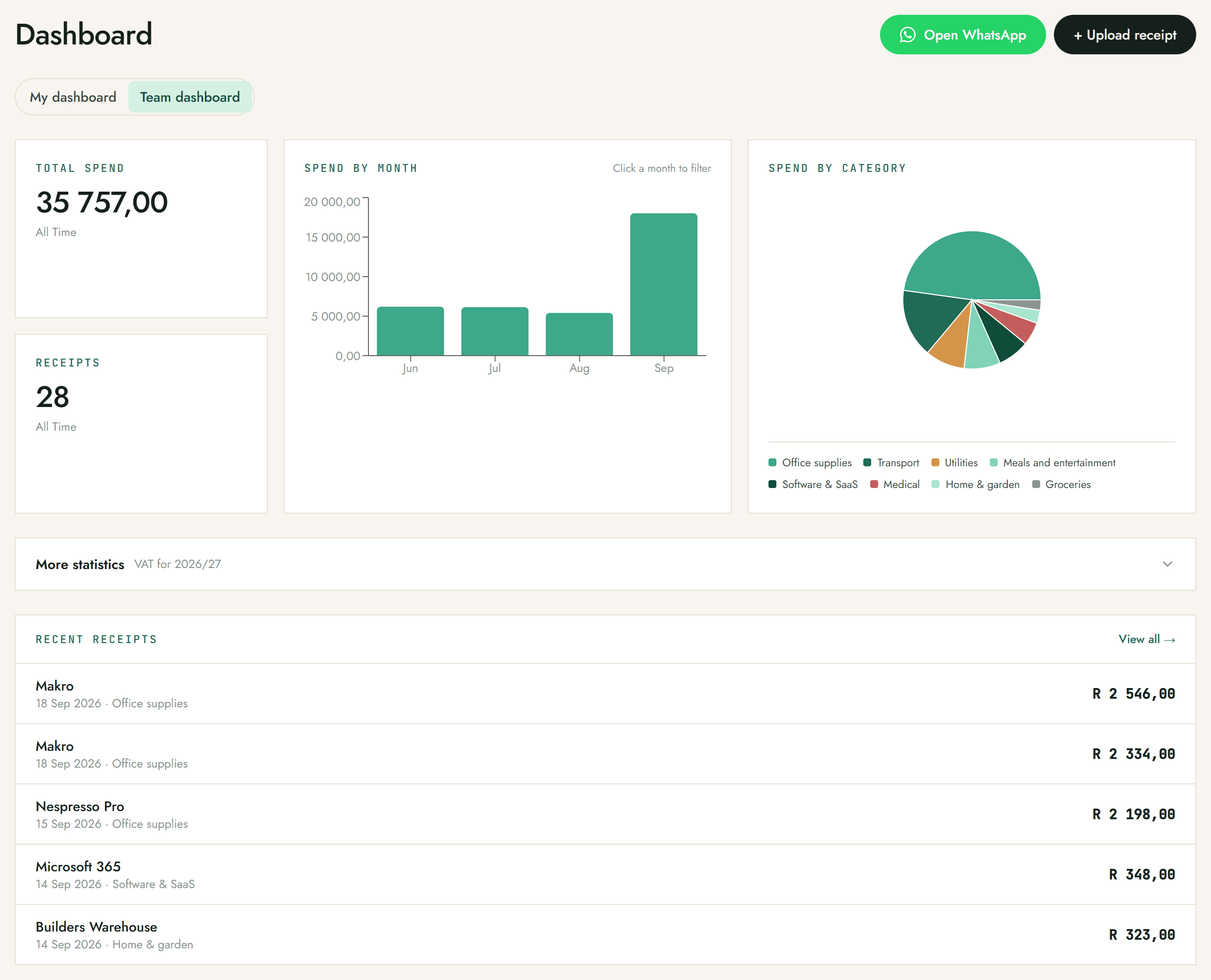
Open your dashboard whenever you want to see where the money went: total spend, receipt count, spend by month, and a category breakdown, all updating as new slips come in. You can also jump back to WhatsApp or upload a receipt straight from here.
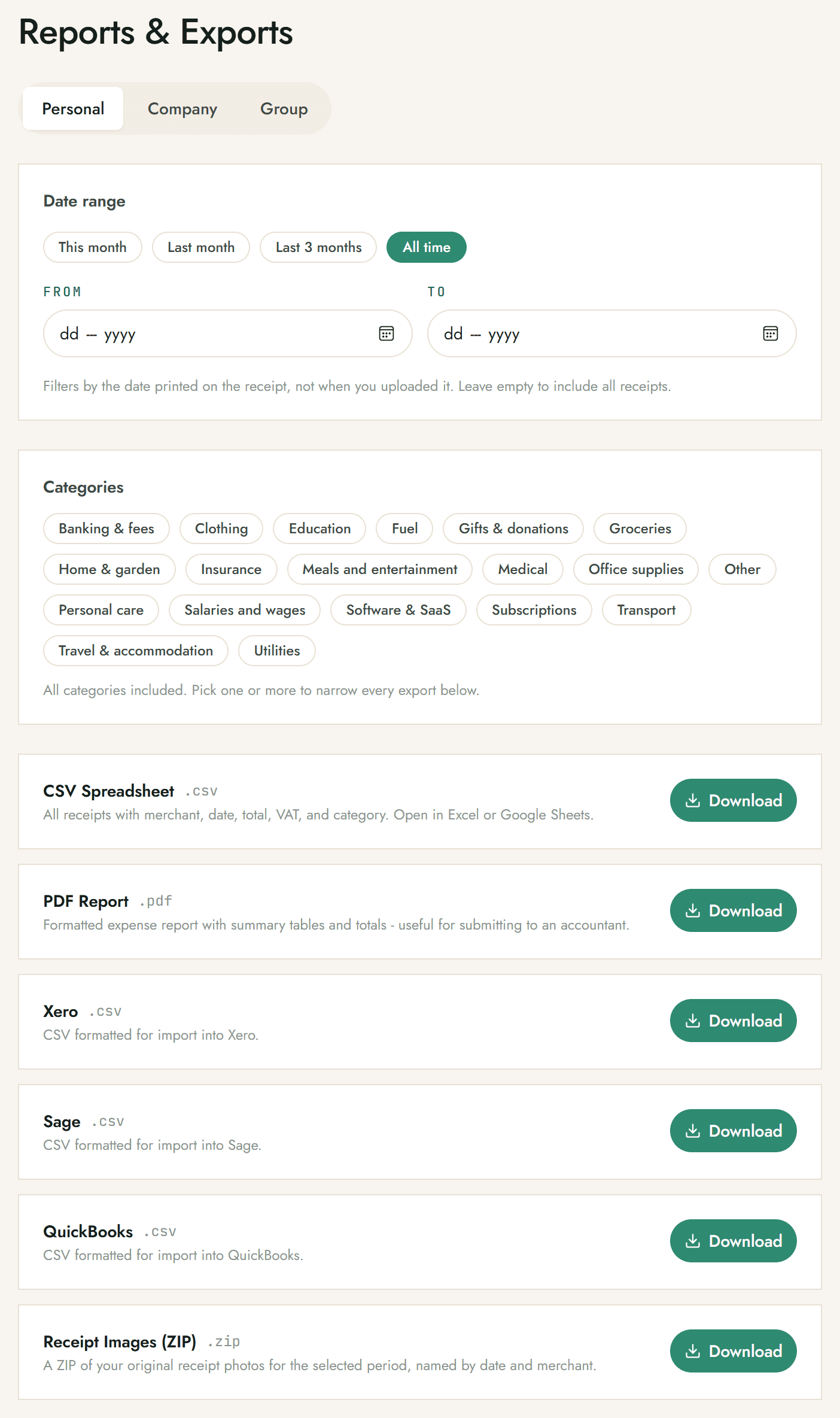
When it is time to file, push slips live to Xero or QuickBooks with the photo attached, or download a CSV or a formatted PDF report. Need it for Sage? Grab a CSV shaped for it. Need the originals? Download a ZIP of every receipt photo for the period.
You never have to leave WhatsApp. A handful of commands drive everything, no dashboard required.
/summaryThis month's totals across categories.
/exportLive push to Xero or QuickBooks, or a Sage or generic CSV.
/helpFull command list, anytime.
/upgrade proMove up a tier. Also: business. Enterprise is a quick chat with us.
/cancelStop billing. You keep access until the end of the month.
The slips that trip up other tools are the ones Snap-a-Slip is tuned for.
Receipts in ZAR, USD, EUR and GBP. We log the original currency and let you tag the FX rate when you file.
Each line is pulled out: a grocery run with twelve items, a hotel bill with sub-charges. Everything is captured, not just the total.
If a slip cannot be read cleanly, it is flagged for review rather than silently misfiled. You confirm or correct it in a tap.
Tap Edit to correct the merchant, total, VAT, date, category or individual line items in a prefilled form, right inside WhatsApp.
Working with a team or your accountant? Everyone snaps into one shared workspace. See the Business and Enterprise plans. Run an accounting or bookkeeping practice with several clients, each with their own ledger? See Practice Partner. New to receipt-keeping for tax? Read how to track receipts for SARS, or browse the FAQ.
Free for your first 15 receipts. No card, no signup form. Just a WhatsApp message.